
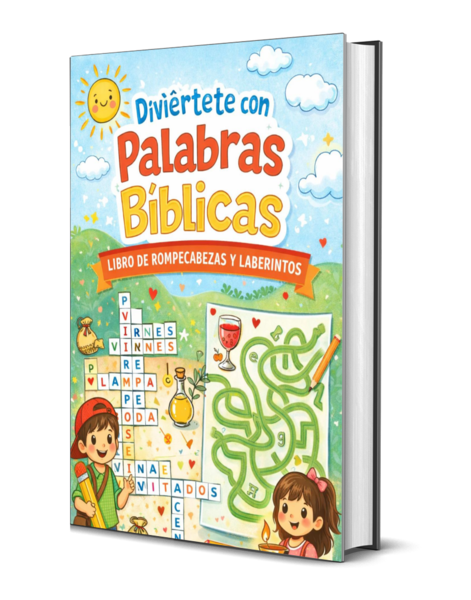
Diviértete con Palabras Bíblicas
Libro de Rompecabezas y Laberintos
Free
“Diviértete con Palabras Bíblicas: Libro de Rompecabezas y Laberintos” es un recurso diseñado para que los niños aprendan la Biblia mientras juegan, mediante actividades que combinan diversión y formación espiritual.
Este libro ofrece rompecabezas de palabras, laberintos, juegos visuales y actividades temáticas que ayudan a los niños a descubrir términos, historias y enseñanzas bíblicas de manera creativa e interactiva. Está pensado para usarse en el hogar, la iglesia o la escuela bíblica, convirtiendo cada página en una oportunidad para dialogar sobre la Palabra de Dios entre padres, maestros, abuelos y líderes junto con los niños. Sus dinámicas refuerzan la memoria bíblica, la concentración y el pensamiento, mientras se enseñan valores cristianos y se fomenta el amor por las Escrituras desde temprana edad.
Ideal para devocionales familiares, clases dominicales y talleres infantiles, “Diviértete con Palabras Bíblicas” es una herramienta práctica para cualquier ministerio que desee equipar a la niñez con un conocimiento sólido de la Biblia en un formato atractivo, imprimible y fácil de usar.
✅ How to Install and Read Your EPUB Book
Thank you for purchasing this digital book! EPUB is one of the most common and flexible ebook formats, and you can read it on almost any device—phone, tablet, or computer. Follow the simple steps below to begin enjoying your book.
📱 Reading EPUB on iPhone or iPad
1. Download the EPUB file from the link you received.
2. Tap “Open in…” when the download finishes.
3. Select an eReader app, such as:
Apple Books (recommended)
Kindle App (after conversion)
Google Play Books
Any EPUB-compatible reader
4. Your book will automatically import into your chosen app.
🤖 Reading EPUB on Android Phones/Tablets
1. Download the EPUB file from your link.
2. Open an EPUB-compatible reading app, such as:
Google Play Books (recommended)
Kobo
Moon+ Reader
ReadEra
3. In the app, choose “Import” or “Upload” and select the downloaded EPUB file.
4. The book will appear in your library.
💻 Reading EPUB on Windows Computer
Windows does not come with a built-in EPUB reader, so install one of these free apps:
Calibre (recommended)
Thorium Reader
Adobe Digital Editions
Steps:
Download and install the reader.
Download your EPUB file.
Open your reading program and select “Add Book” or double-click the EPUB file to open it.
🖥️ Reading EPUB on Mac Computers
MacOS has a built-in reader:
Use Apple Books (recommended)
Download your EPUB file.
Double-click the file.
It will automatically open and be added to your Books library.
📚 Reading EPUB on Kindle (Optional)
Kindle devices do not read EPUB natively, but you can use Amazon’s “Send to Kindle” feature.
Steps:
Upload your EPUB.
It will be converted and delivered to your Kindle library within minutes.
⭐ Recommended Apps (Simple and Reliable)
Apple Books (iPhone, iPad, Mac)
Google Play Books (Android, iOS, web)
Kobo App (Android, iOS)
Calibre (Windows, Mac, Linux)
📝 Tips for the Best Reading Experience
Use the app's font size, brightness, and background options to make reading easier.
Create highlights and notes for study or reflection.
Backup your EPUB file so you can download it again if your device changes.